

Millions of Star Wars fans have downloaded the Movie FX Maker app — but most of them are only using a fraction of what it can do. The app’s free version gives you a taste: a basic lightsaber here, a blaster bolt there. What sits locked behind those greyed-out effects panels? That’s where Star Wars movie FX maker codes come in.
These are redeemable promo codes that expand your effect library beyond the default content. If you’ve been hunting for them — or can’t figure out why the one you found online isn’t working — this guide covers everything in plain terms.
What the App Actually Does
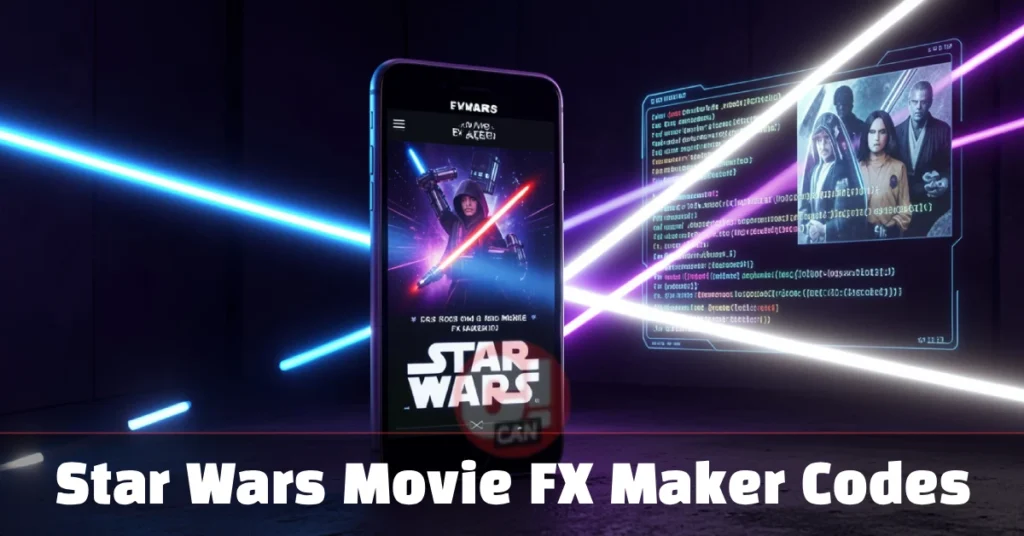
Star Wars Movie FX Maker (also marketed as Star Wars Studio FX) is a mobile app that lets you add film-quality special effects to your own video clips. Point your camera, record a scene, then overlay effects like lightsaber blades with motion tracking, Force-push animations, blaster shots, TIE fighter fly-bys, or Sith lightning — all without any video editing experience.
The app is beginner-friendly by design. Effects snap onto your footage with tap-based controls, and most of the tracking is handled automatically. What makes it genuinely fun is that it aligns updates with the Star Wars release calendar — new shows on Disney+, anniversary events, and franchise milestones often come with new content drops.
The free version, though, keeps a large portion of those effects gated. That’s the gap these codes fill.
What Star Wars Movie FX Maker Codes Actually Unlock
Not all codes unlock the same thing. Here’s a clear breakdown of what different code types give you access to:
| Code Type | What It Unlocks |
|---|---|
| Starter Codes | Basic FX packs for new users |
| Event Codes | Limited-time effects tied to Star Wars Day or premieres |
| Premium Codes | Advanced lightsaber colors, cinematic filters, character packs |
| Merchandise Codes | Bundled with physical products (toys, LEGO sets, etc.) |
| Region Codes | Specific to certain countries or app store versions |
The most sought-after unlocks are exotic lightsaber colors (yellow, white, purple, and the Darksaber-style black blade), character-specific overlays for figures like Ahsoka Tano, Kylo Ren, and the Mandalorian, and multi-layer effect tools that let you stack animations for a more cinematic result.
Premium codes also sometimes unlock higher-resolution rendering options — useful if you’re creating content for social media where quality matters.
Where to Find Legitimate Codes
Here’s the honest answer: there is no single public database of always-working, never-expiring codes. Codes are distributed on a rolling basis, tied to specific events or partnerships, and many expire within days or weeks of release. That said, there are reliable places to look.
Official app notifications are the most dependable source. When the development team releases a new code during a Star Wars event or franchise milestone, they typically push it through the app itself as a notification or banner. Keep notifications enabled.
Star Wars social media channels — including official accounts on Instagram, X (formerly Twitter), and YouTube — occasionally share promo codes during product launches or seasonal events like May the 4th (Star Wars Day). These are time-sensitive, so check them immediately.
Physical merchandise is an underused source. Hasbro action figures, LEGO Star Wars sets, and officially licensed collectibles sometimes include code inserts in the packaging. If you’re buying merchandise anyway, always check for a small card or printed code inside.
Fan communities on Reddit (particularly r/StarWars and r/MovieFXMaker) and Discord servers dedicated to the franchise often aggregate working codes shared by other users. These are your best bet for finding codes that are still active when competitors’ articles have gone stale.
One thing competitors don’t tell you: always cross-reference any code you find with at least two sources before attempting to redeem it. Single-source codes from low-authority blogs are frequently outdated.
How to Redeem Star Wars Movie FX Maker Codes (Step-by-Step)
The process is straightforward, but small errors can cause a valid code to fail. Follow these steps exactly:
- Update the app to its latest version before you attempt anything. Older builds sometimes can’t validate new promo codes.
- Open the app and navigate to Settings or the Store section.
- Look for a button or field labeled “Redeem Code,” “Enter Code,” or “Promo Code.”
- Type the code exactly as written — most codes are case-sensitive and may include hyphens or special characters.
- Tap Submit or Confirm.
- If the unlock is successful, you’ll see a confirmation message and the new effects will appear in your library.
- Restart the app if the effects don’t show immediately. Some unlocks require a fresh session to load properly.
Why Your Code Might Not Be Working
This is where most guides stop short. If a code fails, it’s almost always one of these reasons:
The code has expired. Event-specific codes are often valid for 48–72 hours around a launch date. If you found it on a blog post written months ago, it’s likely dead.
Your app version is outdated. Codes issued for version 3.x won’t validate on version 2.x. Always update first.
Region restriction. Codes distributed through US merchandise or US-only promotions won’t work on accounts registered in other regions. This is especially common with codes from Hasbro product packaging.
You’ve already redeemed it. Most codes are single-use per account. If you’ve tried it before on the same account, it won’t work again.
The source was fake. Some websites generate fake-looking codes to drive traffic. If the code format looks unusual or the site seems unreliable, it probably is.
Getting More from Every Unlocked Effect
Redeeming Star Wars movie FX maker codes is step one. Getting cinematic-quality results from them is another matter. A few things make a visible difference.
Shoot in consistent lighting. Lightsaber blade effects especially look off when the ambient light changes mid-clip. Natural light or a single steady indoor source works best.
Move deliberately. The motion-tracking inside the app struggles with fast, shaky footage. Slow, controlled movements give the tracker more to work with, and the result looks much cleaner.
Layer effects when possible. Stacking a blaster bolt animation with a spark overlay and a burn-mark effect turns a flat clip into something that actually resembles a film scene. Premium codes often unlock exactly these kinds of multi-layer tools.
Sync the sound. Star Wars is as much about audio as it is visual. The iconic lightsaber hum, blaster zap, and Force whoosh tie everything together. The app includes some audio effects — use them.
Staying Updated as New Codes Release
The Star Wars content calendar runs year-round. Disney+ premiere dates, animated series releases, gaming crossovers (like Star Wars Jedi games), and franchise anniversaries all create windows when new codes are likely to appear. Set up notifications for the official app, follow verified Star Wars social accounts, and bookmark one or two active fan communities.
The fans who consistently unlock new effects aren’t finding secret databases — they’re paying attention to the right channels at the right time.
If you use Star Wars movie FX maker codes strategically, keep your app updated, and verify sources before redeeming, you’ll unlock far more of the app than most users ever see.
For More Visit this site: CanMagzine