


Most people hit a wall with geometry the moment shapes stop being pictures and start being problems. A triangle on paper is easy to look at. Calculating its area, proving its angles, or placing it on a coordinate plane — that is where the frustration begins. Geometry Learn V3 is a digital learning platform built specifically to close that gap. It replaces passive reading with interactive, visual practice that gives you immediate feedback on every move you make.
This article breaks down what Geometry Learn V3 actually is, what topics it covers, who it works best for, and whether it holds up against traditional methods. By the end, you will know exactly where it fits into your learning.
What is Geometry Learn V3?
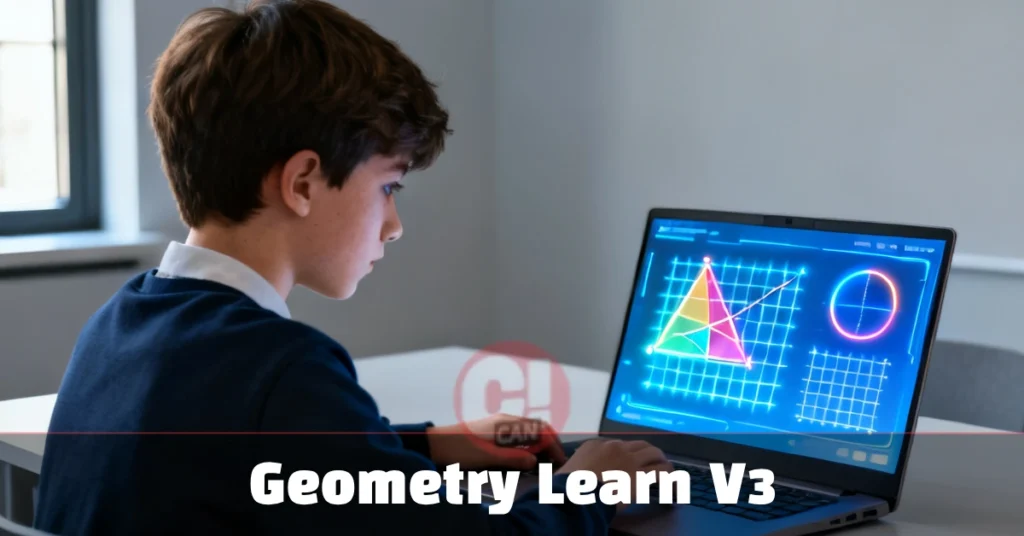
Geometry Learn V3 is a browser-based geometry learning platform that combines visual interaction, real-time feedback, and structured practice. It covers points, lines, angles, 2D and 3D shapes, and coordinate geometry. Designed for students, self-learners, and educators, it replaces passive reading with active problem-solving to build stronger conceptual understanding faster.
What Geometry Learn V3 Actually Is
Geometry Learn V3 is a browser-based platform that presents geometry as an active experience rather than a subject you sit and read about. You work through shapes, angles, and spatial problems in real time, and the system responds instantly — telling you what you got right, where your reasoning broke down, and what to try next.
The “V3” matters here. Earlier versions of geometry learning tools were largely digital textbooks with embedded quizzes. Version 3 shifts the architecture toward something closer to a feedback loop. You interact with a geometric object, the platform registers your response, and it adjusts the next problem based on how well you understood the current one. That is a meaningful difference from flipping to the answer key at the back of a book.
It is not a replacement for a mathematics teacher. What it does well is give you the volume of practice and the visual clarity that classroom time rarely provides.
Core Topics Covered in the Platform
Geometry Learn V3 covers the full progression of standard geometry, starting from the definitions that most students rush past and building toward the spatial reasoning that shows up in competitive exams and real-world applications.
Foundations — Points, Lines, and Planes. The platform starts where geometry actually starts: the undefined terms. A point marks a position. A line extends infinitely in two directions. A plane is a flat surface without edges. These concepts sound simple, but getting them wrong at the beginning causes compounding confusion later. The platform uses high-resolution interactive diagrams so you can see the difference between a line segment and a ray before you label either one.
Angles and Their Relationships. Once lines and points are clear, the focus moves to angles. Right angles at 90°, acute angles under 90°, and obtuse angles between 90° and 180° — the platform does not just define them. It makes you identify, measure, and construct them in different orientations. Supplementary pairs (summing to 180°) and complementary pairs (summing to 90°) are practiced in context, not memorized in isolation.
2D Shapes: Polygons and Circles Triangles, quadrilaterals, and circles make up the bulk of school-level geometry. The platform organises these by property rather than by name, which trains you to think structurally. You learn why an equilateral triangle is also equiangular before you memorise the label. You calculate perimeter and area through constructed problems, not formula drills.
3D Geometry and Coordinate Planes. The third dimension is where many learners lose confidence. Geometry Learn V3 addresses this with rotatable 3D models — prisms, cylinders, spheres, pyramids — where you can view volume and surface area from every angle. Coordinate geometry follows the same logic: place points, draw lines, find slopes, measure distances. The platform ties these back to real uses, from map reading to structural design.
How It Compares to Traditional Learning
Here is a direct comparison between the Geometry Learn V3 approach and the standard classroom or textbook method:
| Feature | Geometry Learn V3 | Traditional Method |
|---|---|---|
| Feedback speed | Instant | Delayed (marked homework/tests) |
| Visual interaction | High — drag, build, rotate | Low — static diagrams |
| Pacing | Self-paced, adaptive | Fixed curriculum schedule |
| Repetition control | Adjusts to your weak areas | Same for every student |
| Accessibility | Browser-based, no install | Requires a classroom or a textbook |
| Teacher guidance | Not included | Available |
The table shows one important limitation: the platform does not replace guided instruction. If you need someone to explain why a theorem works before you attempt problems, a teacher or tutor still fills that role better. Where Geometry Learn V3 wins is in the sheer quantity and quality of practice repetitions it can deliver on demand.
Who Gets the Most Out of It
Students preparing for exams benefit because the adaptive structure keeps drilling the concepts they score lowest on. Instead of spending equal time on everything, the platform pushes harder on your actual weak points.
Self-learners who picked up geometry outside of formal education often have patchy knowledge — solid on some shapes, confused on proofs. The structured progression in Geometry Learn V3 fills those gaps without requiring you to restart from the very beginning.
Teachers and tutors can use it as a supplementary tool. Assigning specific modules for home practice, then using class time for discussion and problem-solving, is a practical split that many educators already follow with similar platforms.
One group that benefits most but rarely gets mentioned: adults returning to mathematics for professional reasons. Architecture, civil engineering, interior design, game development, and data visualisation all require spatial reasoning. Geometry Learn V3’s visual approach makes relearning faster for adults because it works through intuition before it gets to formal notation.
Practical Limitations Worth Knowing
No platform solves every problem. Geometry Learn V3 works best when you already have motivation to practice. If you need external accountability — a teacher checking your work, a grade attached to your effort — the browser-based format may not hold your attention long enough to reach real improvement.
The platform also does not cover proofreading in depth. Formal geometric proofs, which appear in many higher-level courses and exams, require structured logical argumentation that interactive diagrams alone cannot teach. For those, written practice with a tutor or a dedicated proofreading resource remains necessary.
Should You Use Geometry Learn V3
If geometry feels abstract, confusing, or disconnected from anything useful, Geometry Learn V3 addresses that directly. The visual interaction makes shapes feel concrete. The instant feedback shortens the time between making a mistake and correcting it. The adaptive progression means you are not reviewing material you already know.
It works best as one part of a broader study approach — not the only resource, but a strong daily practice tool. Used consistently, Geometry Learn V3 can take you from struggling with basic angle relationships to confidently working through coordinate geometry and 3D spatial problems. That is a meaningful span of progress for any learner.
For more, visit this site: CanMagzine